Quick answer
Maintaining an industrial connector means regularly checking that the housing has no cracks, that the cable gland is still tight, that the seals and pins are in good condition, and that the contacts are clean. It is always done de-energized, before and after every use, and carried out by a qualified electrician.
A power connector handles currents of hundreds of amps. A damaged housing, a loose cable gland, or a dirty contact rarely fails all at once. Instead, they gradually degrade the connection until it causes overheating, water ingress, or an accidental disconnection. Checking them takes a few minutes and prevents most failures.
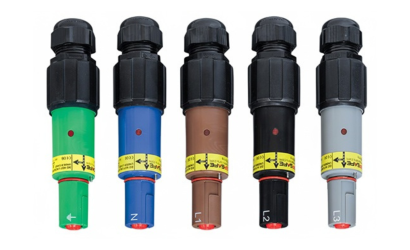
This guide is based on the safety checks specified by Phase3 for the Phase3 PowerSafe range, which is compatible with standard Powerlock® systems. The same principles apply to any single-pole power connector.
Any inspection, cleaning, or replacement of parts must be carried out with the installation de-energized and by a qualified electrician, following the applicable electrical regulations and the manufacturer’s manual.
What to check on an industrial connector
There are six points. The first four apply to all connectors; the last two apply only to receptacle (female) connectors.
- Housing (insulator) — Look for cracks, dents, or breaks on the outer surface. If there is any damage, the insulator is replaced, not repaired.
- Cable gland — Check that it is still tight. It loosens with use, and a loose cable gland lets water into the connector.
- Cable gland seal — Check that the inner seal is in place and shows no signs of degradation. If it looks cracked, hardened, or deformed, replace the seal or the entire cable gland.
- Retaining pins — These hold the contact inside the housing. They should not move when tapped lightly with a hammer. If they move, the contact may come loose.
- Front O-ring (receptacles) — Check that it is not degraded, and periodically apply a thin layer of silicone grease. This makes connecting easier and protects the seal.
- Secondary locking pin (receptacles) — This is a spring-loaded pin. It should move freely: pressing down fully to the surface of the insulator and springing all the way back out.
In addition to these six points, there are two general checks: that the contacts are clean and that the cable clamping is still correct.
When to carry out maintenance
The manufacturer states that safety checks should be carried out before and after every use. In practice, it is a good idea to go over them at these times:
WHEN
WHAT TO CHECK
Before each assembly
Housing, cable gland, pins, and contact cleaning
After each disassembly
Housing, seals, and accumulated dirt or moisture
After rain, mud, or heavy dust
Seals, O-ring, and contact cleaning
Before storing the equipment
Full inspection and protective caps fitted
If the connector has been hit
Housing and retaining pins
When reassembling a connector
New pins and official tightening torques
In temporary installations (events, trade fairs, construction sites), the equipment is assembled and disassembled many times. In those cases, checking before and after every use is especially important.
Step-by-step inspection
- Disconnect and de-energize the installation — Never inspect or handle a connector under load.
- Inspect the housing — Look for cracks or breaks across the whole surface of the insulator.
- Check the cable gland and its seal — It should be tight, and the inner seal should not be degraded.
- Verify the retaining pins — Give them a light tap; they should not move.
- Inspect and clean the contacts — There should be no dirt, moisture, or debris that could interfere with the connection.
- On receptacles, check the O-ring and locking pin — Lubricate the O-ring with silicone grease and check that the pin moves freely.
- Fit the protective caps — If the connector is going to be stored or transported, protect the contacts.
Reference tightening torques
If you need to retighten or reassemble any part when inspecting the connector, these are the values from the Phase3 guide:
COMPONENT
TIGHTENING TORQUE
Cable gland (body and locking nut)
11 Nm
Cable termination screws (screw termination)
10.5 Nm minimum
Threaded terminal nut (panel connectors)
12-14 Nm maximum
Insufficient tightening leaves play; excessive tightening can damage the housing or the thread.
When to replace a part
These are the signs that a part should no longer be kept in use:
- The housing has cracks or breaks → replace the insulator.
- The cable gland seal is degraded → replace the seal or the cable gland.
- A retaining pin moves or does not fit properly → replace the pin. Never use a pin that does not go in with a press fit: the sealing could fail or the contact could come loose.
- You have disassembled the connector → fit new pins when reassembling it. They are designed for single use.
- The secondary locking pin does not move freely → have it checked before using the connector again.
At Powerflow we supply protective caps, contacts, and other spare parts from the Phase3 range, with the most common part numbers in stock.
Common mistakes to avoid
- Inspecting or cleaning the connector while the installation is energized.
- Reusing the retaining pins after disassembling the connector.
- Assuming a cable gland that “looks tight” is fine without actually checking it.
- Continuing to use a housing with a small crack: the damage only gets worse.
- Storing connectors without protective caps.
- Modifying the connector. The manufacturer expressly prohibits this because of the risk of serious injury.
When to ask for technical help
If you are unsure whether a part is in good condition, which spare part corresponds to your connector, or whether it makes sense to replace the whole thing, contact us. We will help you identify the part number and confirm what you need.